Rooting Australia's #1 Kids Smartwatch
Protecting Australian children by replicating Nordic security research
I watched a man send a child to North Korea, I wanted to do the same.
At a recent CCC security conference researchers reviewed a Nordic locked down child's smartwatch and spoofed GPS to have the "child" appear to "parents" as being located in Pyongyang. Could I do the same for Australian children?
Sure enough Spacetalk are an Australian manufacturer that produce Australia's #1 kid's smartwatch[1] - and as we all know, Australia is small and security maturity is... eh.
After some Facebook Marketplace lowballing I find their first model[2] new in box for $50. This is super handy because any hardening they did in V2 or through an OTA update won't be a problem for me. Sure enough it booted, so what was the attack surface?
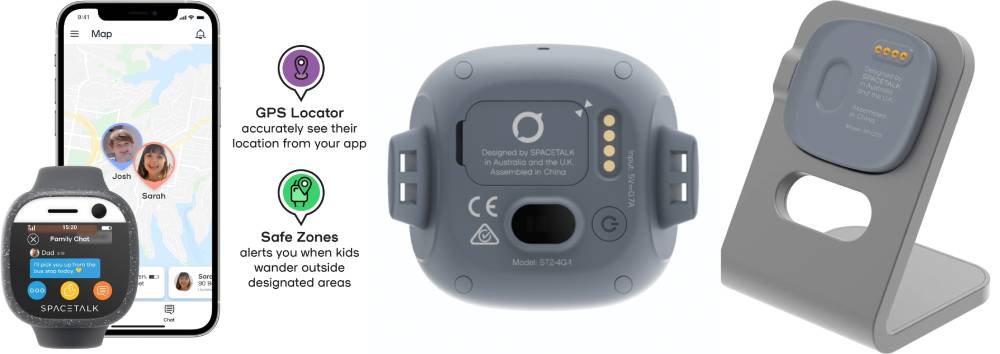
How am I Going to Crack into this Thing?
The watch had 4 pins on the back which nicely matched the charging dock that fed to a USB C cable. I figured this'd be JTAG or even a straight up USB data connection, but with no adb devices or MTP clients I figured maybe only the power pins are soldered, as it was charging over USB.
It had some very stripped down in-house dev'd apps but nothing that would let me pop a file browser or anything. There were no WIFI options, only mobile data, and as I couldn't MITM it to prevent OTA updates I didn't want to connect it.
Looking at settings > about it was clearly a custom android build, and so natually I smashed the build number to unlock developer settings - no luck. I mashed even more and interestingly the "phone number" field opened a password entry screen. Rattling off defaults of 0000, 1234, last 4 digits of the build number, IMEI etc. didn't let me in, and given it was an uncapped text field there was no assurance it was even a 4 digit pin.
With no USB keyboard emulation possible I was considering having my 3d printer with a stylus incrementally try pins but that was a problem for another day and I called it a night.
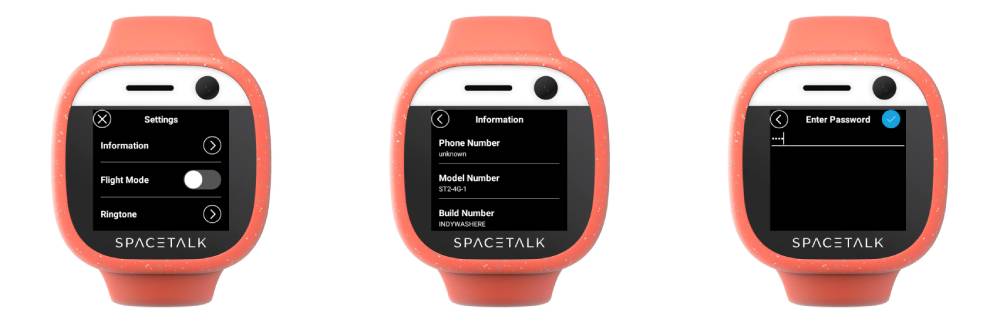
Watch Whispers "Hello" in the Dead of Night
Few days later I give it another crack and it wouldn't turn on; ah must've drained the battery, let me give her some charge. Plug her in and my Windows Device Manager window in the background flashed twice. That's odd, it wasn't booted, does it open a fastboot interface temporarily?
Digging through the logs it turns out it opens an MTK (i.e. MediaTek - the chip SoC manufacturer) Preloader interface for 2 seconds because closing itself off. Well well well! If we can dump the flash, we can probably push custom images and reverse engineer the password function.
After hours and hours of faffing around with Windows and USB drivers I caved and created a linux live USB to run off an old laptop. With mtkclient I managed to glean:
- That it was an MT6379 chip
- SLA: Secure link authentication was disabled (the boot ROM allows flashing) 🤤
- SBC: Secure boot chain was disabled (unsigned firmware can be flashed) 🤤
- DAA: Download agent authentication was disabled (I don't need leaked vendor firmware to talk to the chip) 🤤
Brain Dumping Partitions
The gorgeous trifecta, I've essentially got full control of this hardware. So I dump the partition table and use that to dump various system, boot, recovery etc. partitions. With those saved, even if an OTA update hits or I push bad images across, I'm only soft bricking and can flash it back to factory settings.
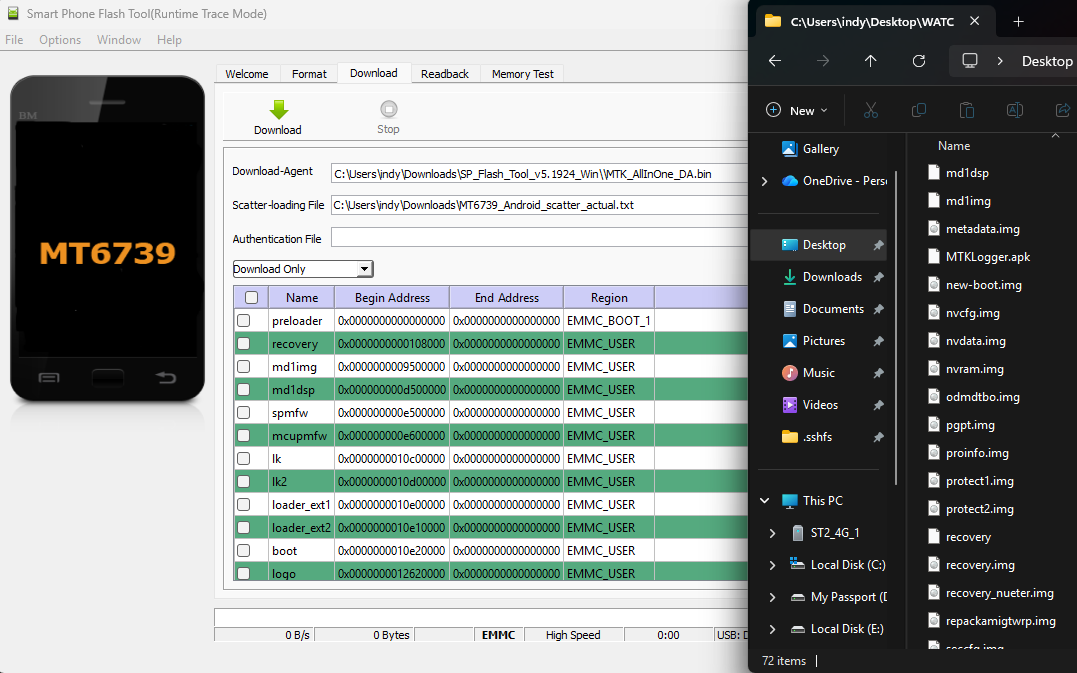
Opening a Backdoor with a Sledgehammer
There was no guarantee that the developer menu would allow me to enable ADB or become root so it was time to backdoor the images and PoC that I could unpack, repack, flash and boot without anything throwing a fit. This first required unlocking the bootloader, which would have been easy with fastboot, IF I had a volume up button to select Confirm...
Ah well, nothing mtkclient forcing an unlock couldn't fix[3].
Cracking open system.img I pop some simple debug draws into init.rc's on early-init as a visual indicator to see if my backdoor worked. Using mtkclient again I reboot the watch to fastboot mode within the 2 second window, flash my custom image and boot.
Success, I've never been so chuffed to see ugly debug draws.
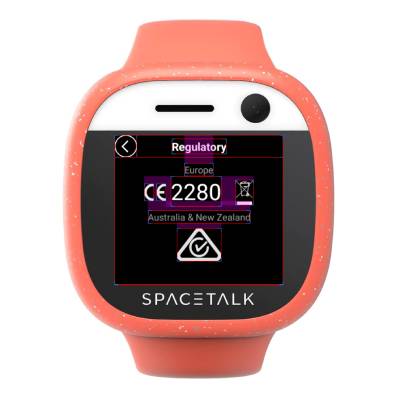
The Sledgehammer is only so Sharp
What I failed to mention is I also changed the build string from ST2-4G-1_20210407 to INDYWASHERE as a deeper indicator I've got access to override core android settings but puzzlingly this didn't reflect. Scratching my head I find system.img has a recovery-from-boot.p file with a cron job to overwrite recovery on boot. Bastards, flushing my custom changes every boot.
Whelp, mv recovery-from-boot.p recovery-from-boot.plzno made quick work of that, and there's my custom build string! Glad I found that, because I wouldn't want anything to get in the way once I start flashing custom images forcing ADB to be open on boot.
Something got in the way of me flashing custom images forcing ADB on boot.
No matter how many prop.defaults and init.rcs I was editing on different images, or commenting out the manufacturer's ro.sys.usb.charging.only=yes properties I tried, I could not pop ADB. I figured it was some kernel build flag, so I start byte editing hex strings, but there must be some checksum because that only caused bootlooping.
Here I am bashing my head against the wall... Hang on... I'm so focused on writing when I should be reading. We have the image dumps. I can see what's behind that password function.
Cosplaying as a Spacetalk Engineer
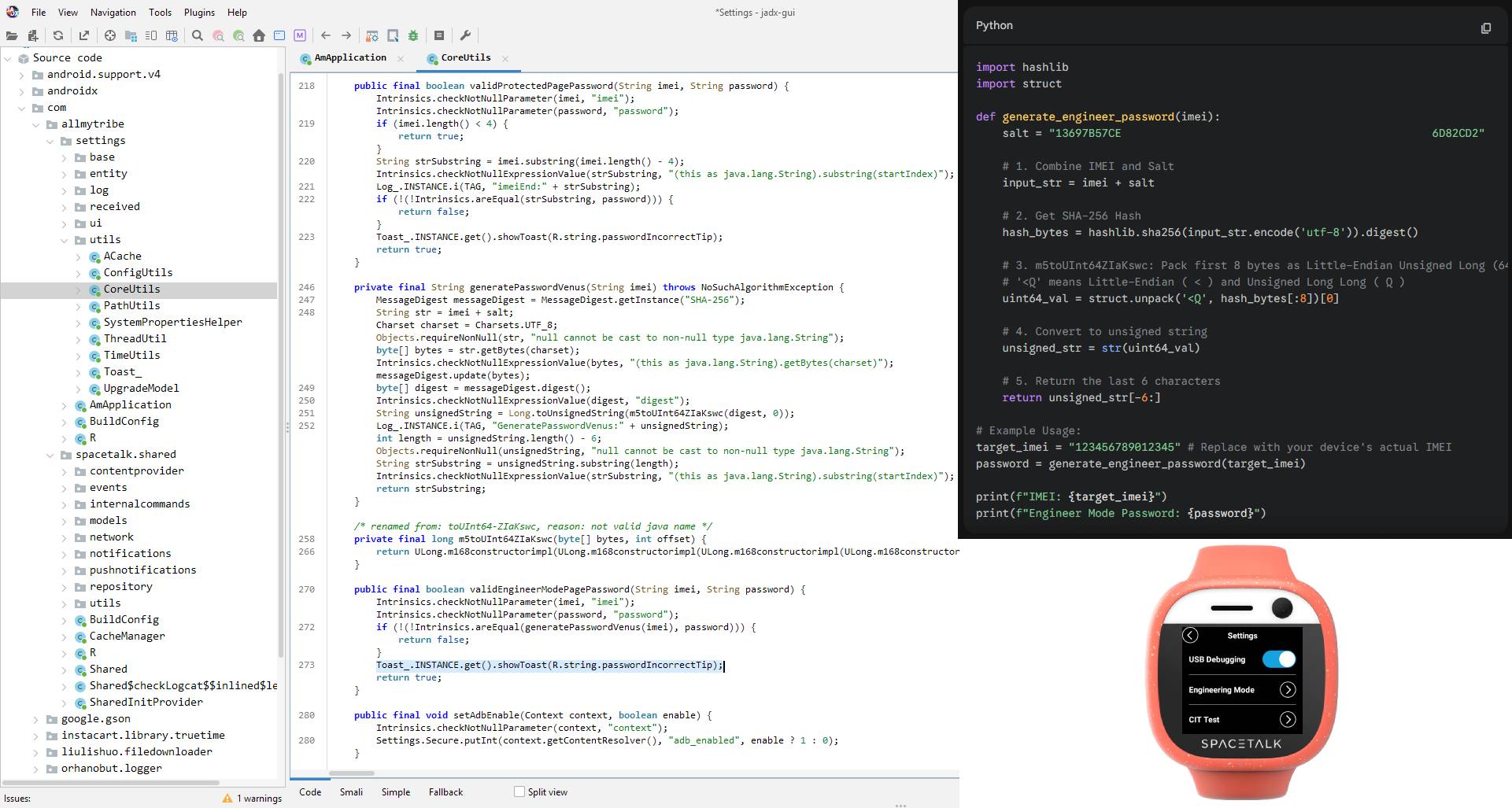
So I find com.allmytribe.settings.apk and throw it into JADX-GUI. When you type the wrong password you get an Incorrect Password toast, so searching for that should get me close to the password calculation function and aha! It's doing all sorts of fancy crypto with the IMEI and calculating the password.
Wasting no time, or brain cells, I throw all the functions and salts into Gemini to give me a python decryptor that accepts my IMEI and spits out a password. I punch that into my watch and BOOM: a USB debugging option that throws the watch into MTP+ADB mode.
Earning the Watch's (ADB) Trust
Oh young padawan, you should have learnt by now it's never that easy. My shell was unauthorised, modern android doesn't let any client have shell access, you've got to give it permission.
Normally this is a "do you want to trust this computer" popup on your phone, but with this custom UI... I never get that window - we're going to have to force it in software.
In the same way my ADB options were being overridden, so was my ro.adb.secure=0 that drops the authorisation security. I could be in trouble here 😮.
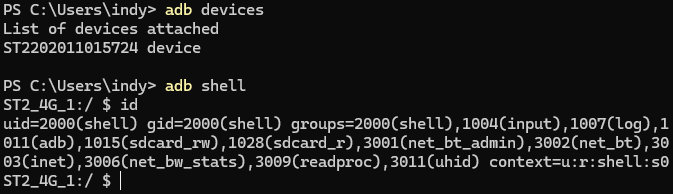
But further digging through the images led to boot.img's init.rc's early-init containing restorecon /adb_keys. Sure enough, dumping my PC's ADB fingerprint into /adb_keys in boot.img let me have an ADB shell yewwwwwwwww!
Giving the Watch a SUrprise
Hard part's done, flash su and you're root - easy right?
HAHAHA; no.
Thus ensues more days of helplessly attempting: adb root; scouring for architecturally correct su binaries; statically compiling variants for myself; overriding file system properties on it to make SELinux happy; manually porting a TWRP image to suit my device; pushing busybox and using setguid / setuid to elevate only to get kicked in the balls by SELinux; forcing the watch's build variant into engineering mode to see if that has more lax kernel flags; backdooring boot system services that run as root; looking at the engineering mode APK for hidden intents to escalate...
On and on and on only for me to wake up to the fact that this is a dated Android device, I have ADB, I have boot.img... can't I just patch Magisk in?
So I ADB install Magisk, ADB push boot.img, and open Magisk with ADB (the custom launcher didn't list the app that I could just click on). In the retina 360x320 menu I hit "Select and patch a file" and... oh there's no installed file browser. ADB installing a file browser, I select the boot.img, patch it with Magisk, pull the patched image back over ADB, boot to fastboot, flash it, boot, ADB shell, su and... 🥁🥁🥁
ROOT!

While I would have loved for this adventure to be "use well-known password 2323 to enable ADB" from the original presentation, we got this instead. Believe it or not this was the short version - my desperate raw research notes are here: [4]
Now that I'm ADB root on the watch and ADB root on a parallel phone, we can start digging into the watch and client app's communications - and see if we can't start sending Australian children to Pyongyang. Let's call this part 1 😏👉👉